PDF42 / PDF signatures
Make your mark on a PDF
Keep signatures and stamps close to your work. Add a visual signature, reuse a stamp or work with certificate-based digital signatures in PDF42.
Get OFF42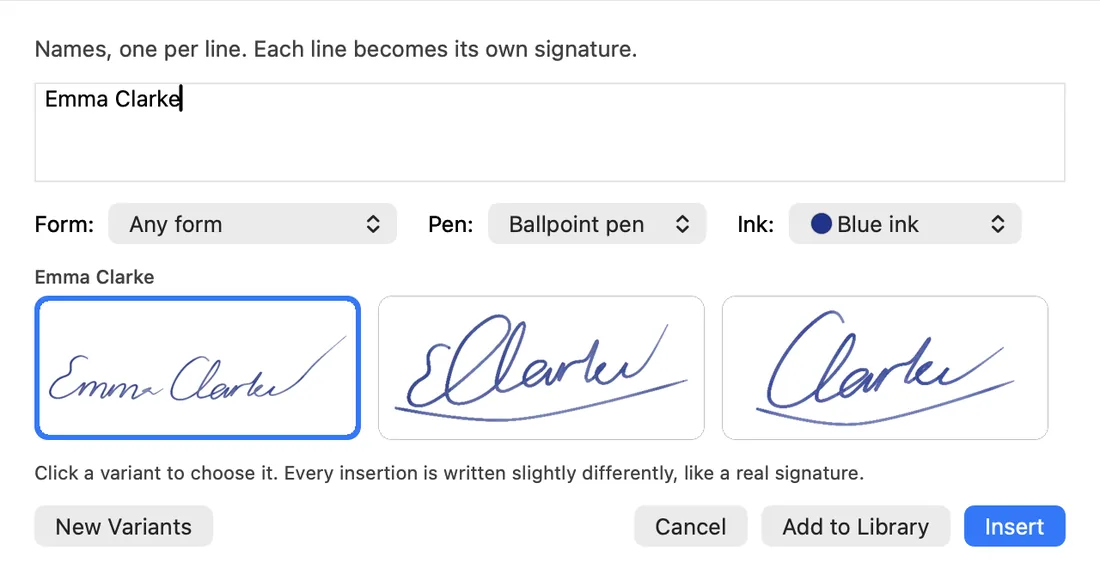
What you can do
PDFs, with possibilities.
- Keep reusable signatures and stamps in the shared library.
- Place and adjust a visual mark on the page.
- Use certificate-based signing when your workflow requires it.
From open to done
- 01
Open the document and choose the signature tool.
- 02
Select a visual mark or a digital-signature workflow.
- 03
Save and check the result in your recipient's PDF software.
A few useful answers
Are visual and digital signatures the same?
No. A visual signature is a mark on the page. A digital signature uses a certificate to help detect document changes and identify the signer.
Switch the subscriptions off. Keep the office.
Free, open source and made for your Mac.